How To Make Photo Books With MILK Books Without Feeling Overwhelmed

A practical guide to planning, designing, and ordering a MILK Books keepsake without feeling lost in layouts, formats, or photo choices.
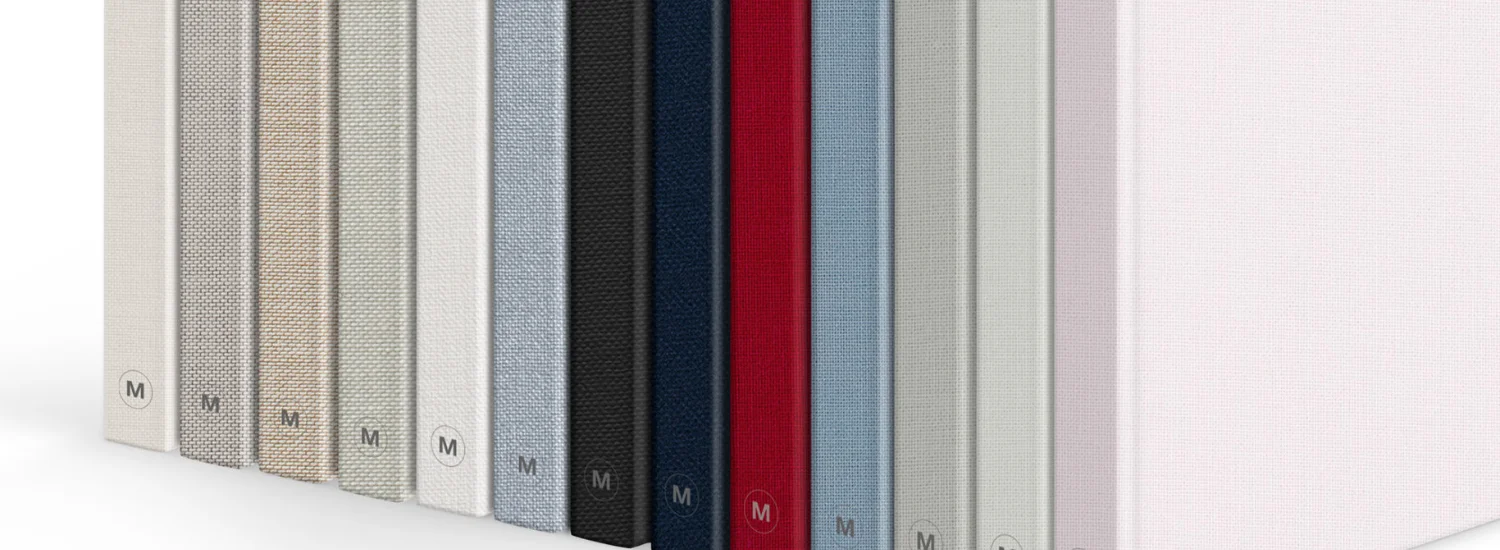
Creating a Photo Book can feel harder than expected when hundreds of images, format choices, and design decisions pile up at once. MILK Books makes the process more manageable through its online Design Studio, format options, and print focused tools.
This guide will walk you through how to prepare your photos, pick the right book, avoid common mistakes and create a keepsake that feels thoughtful rather than rushed.
What To Prepare Before Creating A Photo Book
Design skill is less important than preparation. Before you open MILK Books, gather photos into one folder and delete near duplicates. Keep tight shots, emotional moments, shots of wide scenes and small details that help tell the whole story.
As a good rule of thumb, create a smaller shortlist first. It is a common thing to begin with every photo from a wedding, trip or family event and feel stuck. A tighter selection makes layout decisions easier and prevents pages feeling crowded.
Choosing The Right Photos
Choose pictures with purpose. A good Photo Book usually has a mixture of portraits, candids, location shots, close details, and quieter transitional pictures. There is nothing worse than flipping through a photo album and seeing the same photo again and again, even if the memory it represents is important.
MILK Books recommends simple layouts with a maximum of three photos to a page, even though their templates can accommodate more. That advice is useful because larger images often have more visual punch when printed, and give important memories room to breathe.
Organizing Images Before Uploading
Arrange photos in the order you want the story to play out. Travel photos by location or day. Sort family books by season, milestone or person. Weddings: pre, ceremony, reception, close.
Rename folders clearly prior to upload. A simple structure saves time down the road, particularly when switching between desktop, tablet and mobile. MILK Books allows people to start online in a browser and continue on devices without losing their place.
The Best MILK Books Format For Your Memories
Decide first how the finished piece will be used. MILK Books has Softcover, Classic, Premium, Moleskine and album formats. Everyday memories may suit a lighter format, while weddings and heirloom projects usually require stronger materials.
People compare price and quality in search of Milk Books Review. On Reddit, some complimented the final quality, the thick pages, the linen feel and the vibrant colors, while some said the editing process was patient.
Softcover Photo Books
Softcover Photo Books start from 39 USD and work well for casual projects, holidays, everyday family memories, and gifts. They use archival paper pages, PUR binding, standard printing, and a matt card cover.
This is a good format for people who want something slick but don’t want every design choice to feel permanent. It’s also a good first project for anyone learning to Make Photo Books before graduating to premium formats.
Premium Photo Books
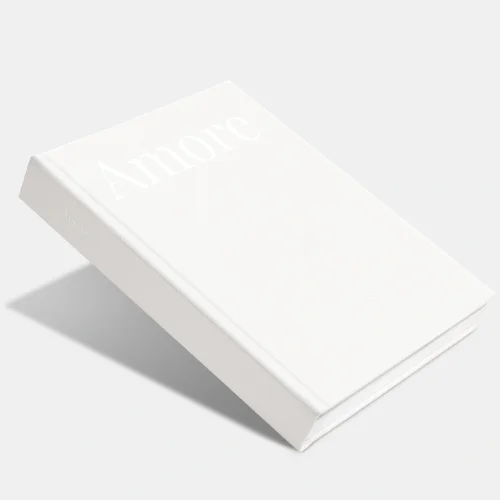
Premium Photo Books start from 68 USD and come in medium and large landscape, square, and portrait formats. They offer archival paper, section sewn binding, premium fabric covers, and 6 color printing.
This range is suitable for weddings, baby books, anniversary gifts and travel collections where color, paper feel and durability matter. Premium books can range from 24 to 240 pages, giving plenty of space for larger projects without the need for heavy album construction.
Layflat Albums
Albums are not like books. MILK Books photo albums are printed on thick board pages with flush mount binding and lay flat spreads. They are more expensive, but are suited for milestone projects where panoramic images and a substantial feel are paramount.
For many people, the choice comes down to handling. Photo books feel lighter and easier to browse often. Albums feel more formal and are better for a smaller number of carefully selected images.
Step By Step Process To Make Photo Books With MILK Books
Start by choosing the format, size, paper, cover, and page count. Then upload images into the Design Studio and place them into templates. MILK Books also supports creation through desktop, tablet, mobile browser, and a Mac extension for Apple Photos.
Don’t try to do it all in one go. Better to get the rough layout done, then come back with fresh eyes to add in spacing, captions and cover details.
Uploading Images
Upload your strongest folder first rather than every image you own. This keeps the workspace clean and prevents decision fatigue. Add extra images only when a spread feels empty or a story gap appears.
Upload scanned copies of old printed photos at 300 dpi. MILK Books notes particularly that lower quality scans may appear pixelated in print and so spending time digitizing family photos carefully can make a big difference.
Selecting Layouts
Choose layouts based on the strength of the image. Fill the page with emotional portraits, hero shots or landscapes. Use smaller grids for sequences such as reception or travel snaps.
A useful trick is to design the book like a quiet conversation. Mix busy pages with calm pages. After several image heavy spreads, add one large photo or a simple caption page to give the eye a pause.
Adjusting Text And Design Elements
Captions should clarify instead of clutter. So, use names, places or brief memory cues. Long paragraphs can weigh down a visual book, particularly when the images already have depth.
The cover choices also affect the first impression. MILK Books offers custom covers, simple text covers, Designer Covers and fabric options. Raised ink designs can be used on premium ranges to give a more refined finish.
Mistakes That Can Affect Final Print Quality
Printing problems pretty much begin before you get to the checkout. Dark edits, cluttered layouts and low resolution images can really mess the final outcome up. Screens make images appear brighter, so photos that look OK on a phone may print out darker than you expect.
On Reddit, discussions around photo books mention concern over color accuracy, paper quality, shipping, and even final sharpness. People want confidence before paying premium prices especially for wedding or family keepsakes.
Low Resolution Images
Avoid screenshots, compressed downloads, and heavily cropped images when possible. Use original files from a camera or phone. If a warning appears in the design tool, replace the image or reduce its print size.
Overcrowded Layouts
Too many images on one page can lead to meaningful images fighting with each other. MILK Books allows up to 12 images per page, but its own design guidance favors one to three images.
Poor Color Selection
Be careful with very dark filters, high contrast or heavy warmth The Premium Photo Books are printed using 6 colours, while the Classic and Softcover ranges use 4 colour printing, meaning the format choice can impact the final colour depth.
Frequently Asked Questions
How Many Photos Should Go In A Photo Book?
There is no rule but generally one to three photos per page results in a cleaner outcome. Larger projects can have more pages than trying to cram too many images onto a spread.
Can You Make Photo Books On Mobile?
Yes. MILK Books says its Design Studio works through a browser on desktop, tablet, and mobile. For best results, Safari or Google Chrome is recommended for mobile creation.
Are MILK Books Projects Stored Online?
MILK Books stores active projects for 90 days after last access. Printed projects receive lifetime storage, which helps if people want to reorder or revisit a finished design later.
A good Photo Book starts before design begins. With MILK Books, people can make the process easier by choosing fewer stronger images, giving each memory enough space, and picking a format that matches how the book will be used.
Follow PubMyBrand for more guides on Arts and Crafts.
Recent Blogs
-
Wiskii Active Review: Are These Stylish Gym Outfits Worth The Hype?
Explore our comprehensive Wiskii Active review. We analyze the brand quality, popular jumpsuits and leggings, pricing, and whether these stylish gym outfits are truly worth your money.
-

Best Outdoor Gear for Easy Camping and Travel
Make your next trip easier with the right outdoor gear for comfort, shade, and outdoor cooking. Choose practical essentials that help you enjoy camping and travelling with fewer everyday hassles.
-

7 Elegant Ways to Wear Your Silk Laundry Silk Scarf
A silk scarf is just a simple accessory. Think again. A silk scarf can instantly elevate an outfit, adding a touch of elegance, personality, and effortless style. From neck wraps to handbag accents, there are plenty of chic ways to style this versatile accessory.
-

Pink Knitted Vest Outfit Ideas for Autumn Season
A pink knitted vest can instantly add a soft, stylish touch to your outfit while keeping your look comfortable and versatile. Whether you're dressing for work, a casual day out, or a weekend plan, the right pairing can make this cozy staple work for almost any occasion.
-

Best Linenly Bamboo Sheets for a Luxurious and Relaxing Sleep
Finding bedding that feels breathable and comfortable can make bedtime much more enjoyable. Linenly bamboo sheets offer a smooth, cozy feel for anyone looking to give their bedroom a simple comfort upgrade.