How to Diagnose Your Car With an OBD2 Diagnostic Tool Using OBDeleven 2

Your car can reveal a lot about its condition if you know where to look. An OBD2 diagnostic tool helps you uncover hidden issues, understand fault codes, and take better control of your vehicle’s maintenance with tools like the OBDeleven 2 Ultimate Pack.
All featured products are selected by our editors and may include affiliate links. If you purchase through these links, we may earn a commission.
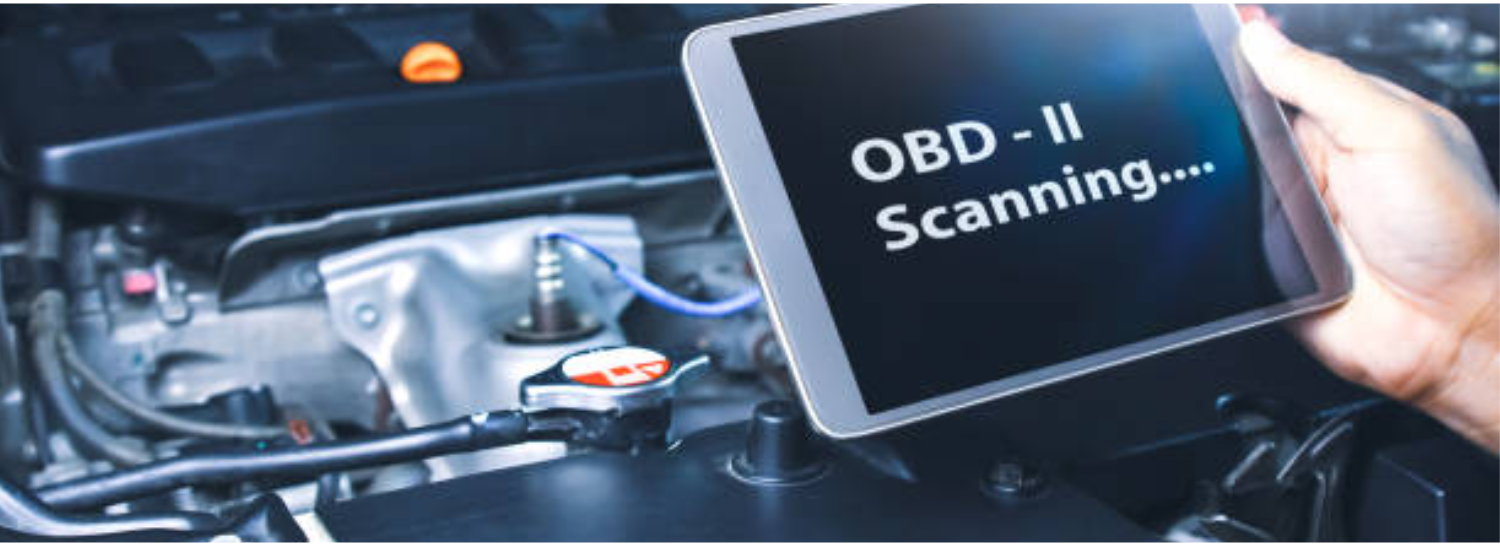
Your car gives you plenty of warning signs before a major issue appears, but figuring out what’s actually wrong isn’t always easy. An OBD2 diagnostic tool helps you scan your vehicle’s systems, identify fault codes, and understand potential problems before they turn into expensive repairs.
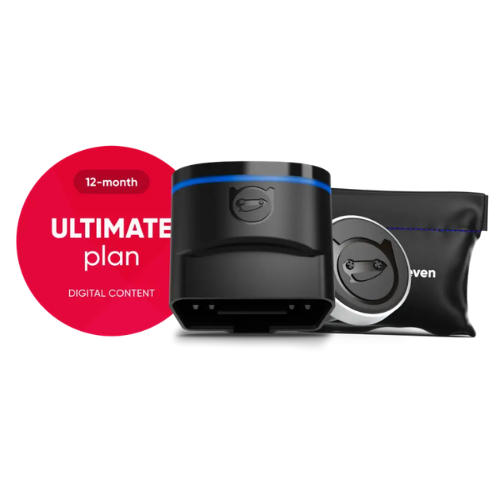
Modern diagnostic tools go beyond simply checking engine lights. They can provide deeper insights, access vehicle data, and even customize certain settings. The OBDeleven 2 (NextGen) ULTIMATE Pack takes this further with Bluetooth connectivity, advanced diagnostics, and smart coding features through its mobile app.
Why Is the OBDeleven 2 (NextGen) ULTIMATE Pack the Best OBD2 Diagnostic Tool for Your Car?
A reliable OBD2 diagnostic tool helps you understand your vehicle’s condition without relying on guesswork. The OBDeleven 2 (NextGen) ULTIMATE Pack combines easy smartphone connectivity with advanced diagnostics and customization features.
-
Connect wirelessly through Bluetooth and use the OBDeleven mobile app for convenient scanning.
-
Access detailed vehicle diagnostics, read fault codes, and monitor different vehicle systems.
-
Use unlimited One-Click Apps without spending in-app credits.
-
Explore advanced features like coding and adaptations for supported vehicles.
-
Identify potential issues early and get better insights before visiting a mechanic.
Step-by-Step Process for Using the OBDeleven 2 (NextGen) ULTIMATE Pack
Using the OBDeleven 2 (NextGen) ULTIMATE Pack is simple, even for beginners. Follow these steps to connect your device, scan your vehicle, and access its advanced diagnostic features.
Step 1: Connect the OBDeleven Device to Your Vehicle’s OBD2 Port
Start by locating your vehicle’s OBD-II port, which is usually found under the driver’s side dashboard. Once located, plug the OBDeleven device securely into the port and turn your vehicle’s ignition on without starting the engine.
Step 2: Connect OBDeleven With the Mobile App
Download the OBDeleven app on your smartphone and create an account or log in if you already have one. Connect the device through Bluetooth, follow the setup instructions, and complete activation of your Ultimate plan.
Step 3: Scan Your Vehicle for Diagnostic Issues
After connecting the device, select your vehicle inside the OBDeleven app and start a full system scan. The app will analyze different control units, detect fault codes, and provide diagnostic information about potential issues.
Step 4: Read and Understand Diagnostic Trouble Codes
Review the fault codes identified during the scan and check which vehicle systems they relate to. The app provides details that can help you understand possible causes and determine what steps to take next.
Step 5: Clear Fault Codes After Fixing Issues
Once the underlying problem has been resolved, you can clear stored fault codes directly through the app. After resetting the warnings, run another scan to confirm that the issue has been properly addressed.
Step 6: Use One-Click Apps for Vehicle Customization
The Ultimate Pack gives you access to unlimited One-Click Apps that let you enable supported vehicle features. You can adjust settings like lighting options, comfort features, and infotainment functions without using additional credits.
Step 7: Explore Advanced Coding and Adaptations
For more experienced users, the OBDeleven 2 (NextGen) ULTIMATE Pack provides access to advanced features like control unit access, long coding, and adaptations. These settings allow you to modify supported vehicle functions, but changes should be made carefully to avoid affecting your vehicle’s systems.
FAQs
How To Test Car Battery Health With A Diagnostic Tool?
An OBD2 diagnostic tool can help monitor vehicle systems, but a multimeter is usually needed to test battery voltage directly.
What Is The Difference Between An OBD2 And OBDII Scanner?
OBD2 and OBDII refer to the same vehicle diagnostic system used to read fault codes and monitor car performance.
Can An OBD2 Scanner Diagnose All Car Problems?
An OBD2 scanner can identify many electronic issues, but complex mechanical problems may still require professional inspection.
What Is A Car Diagnostic Tool Used For?
A car diagnostic tool reads fault codes, monitors vehicle data, and helps identify potential issues with different vehicle systems.
Can An OBD2 Diagnostic Tool Clear Check Engine Lights?
Yes, many OBD2 diagnostic tools can clear fault codes after the underlying issue has been fixed.
An OBD2 diagnostic tool makes vehicle troubleshooting easier by helping you identify issues, understand fault codes, and access important vehicle data. The OBDeleven 2 (NextGen) ULTIMATE Pack goes beyond basic scanning with advanced diagnostics, unlimited One-Click Apps, coding, and customization features. Check out the OBDeleven 2 (NextGen) ULTIMATE Pack and use OBDeleven discount codes to get started.
Keep following PubMyBrands for more insightful car guides and tips.
Recent Blogs
-

Total 30 Contact Lenses Review: Are They Worth Buying?
Looking for comfortable monthly contact lenses that provide clear vision all day? Total30 Contact Lenses are designed with advanced technology. In this review, we’ll explore their key features, benefits, drawbacks, customer experiences, and whether they are the right choice for your daily eye care needs.
-

How to Use a Digital Footprint Checker: A Step-by-Step Guide
Every click, search, purchase, and social media interaction leaves a trace of your online activity. A digital footprint checker helps you discover what information is available about you, identify privacy risks, and take steps to better protect your online identity.
-
How to Diagnose Your Car With an OBD2 Diagnostic Tool Using OBDeleven 2
Your car can reveal a lot about its condition if you know where to look. An OBD2 diagnostic tool helps you uncover hidden issues, understand fault codes, and take better control of your vehicle’s maintenance with tools like the OBDeleven 2 Ultimate Pack.
-

Best Women’s Sweater Picks to Stay Warm and Stylish This Winter
Cold weather calls for clothing that feels as good as it looks. A quality women's sweater offers the perfect balance of warmth, comfort, and effortless style. Explore these Dilling DE sweater picks that can elevate your winter wardrobe.
-

Can Kava Gummies Help You Relax Without Feeling Groggy?
Many people want a simple way to relax after a busy day without feeling sleepy or sluggish. That's why kava gummies have become a popular choice for those looking to support a sense of calm in an easy-to-take form. Explore how Kava gummies work, and whether they can help you relax without feeling groggy.