mSpy Review: Features, Safety Tools and Parental Control

Explore this mSpy review to learn about its parental monitoring features, location tracking, online activity insights, app controls, and device compatibility. Find out what parents should consider before choosing this digital safety solution.
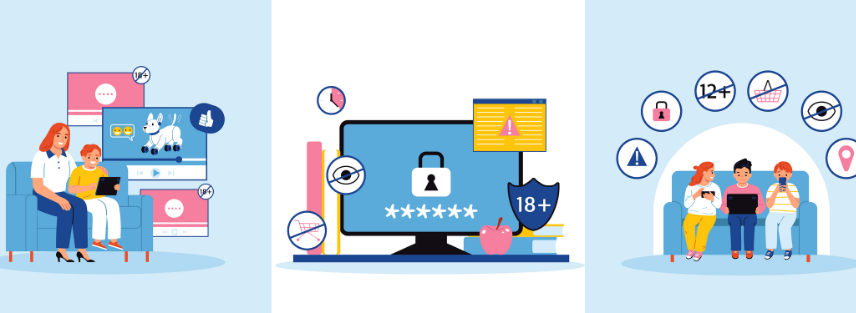
Keeping children safe online has become more challenging as smartphones and social media play a bigger role in everyday life. Parents often want to know how much time their children spend online, what apps they use, and whether they face potential digital risks. This is where parental monitoring tools such as mSpy can become part of a broader digital safety strategy.
mSpy offers a range of monitoring and parental supervision features designed to help parents understand activity on compatible devices. From location tools to app and browsing activity, the platform provides several ways to support responsible digital parenting. However, choosing the right monitoring solution requires more than simply looking at a feature list. Privacy, consent, compatibility, and responsible use all matter.
Brand Overview
mSpy is a digital monitoring platform primarily marketed for parental supervision. The service allows users to access supported information from compatible devices through an online dashboard.
The brand offers tools related to location monitoring, calls and messages, browsing activity, installed applications, and selected social media platforms. The exact features available can vary depending on the device, operating system, permissions, and installation method.
One of mSpy's strongest points is its broad feature range. Instead of offering only location tracking or screen-time controls, it brings several monitoring tools together in one platform.
However, responsible use should always come first. Parental monitoring software should be used only where the user has appropriate legal authority, such as monitoring a minor child. Families should also consider local privacy laws and maintain open conversations about digital safety.
What Does mSpy Offer?
mSpy provides several categories of parental monitoring features. These tools are designed to give parents greater visibility into supported activity on a child's compatible device.
Location Tracking and Geofencing
Knowing where a child is can provide reassurance, especially when they travel independently, attend school, or spend time away from home.
mSpy offers location-related tools that may include:
- GPS location tracking
- Location history
- Route information
- Geofencing alerts on supported setups
Geofencing allows parents to create designated areas and receive notifications related to movement in or out of those locations, depending on the device configuration.
This feature can be particularly useful for families with clear routines, such as school, home, or regular activities. Still, location tracking should support family safety rather than replace communication and trust.
Monitoring Online and App Activity
Children can access a huge range of apps, websites, and digital platforms through their phones. Understanding how these tools are used can help parents identify possible concerns and discuss responsible online behavior.
Depending on compatibility, mSpy can provide information related to:
- Browsing activity
- Installed applications
- Selected social media platforms
- Messaging services
- Contacts
- Call activity
The available information may differ between Android and iPhone devices. Before subscribing, it is important to check whether the features you need are supported on the specific device.
Website and App Controls
Digital safety is not always about watching activity. Sometimes, parents need practical ways to create boundaries.
mSpy includes tools for managing access to selected websites and applications on supported devices. These controls can help parents limit exposure to inappropriate content or reduce distractions during important times.
For example, parents may want to encourage healthier routines around:
- Schoolwork
- Bedtime
- Family time
- Screen usage
Technology can help support these boundaries, but clear household rules remain just as important.
Activity Alerts and Monitoring Tools
mSpy also offers additional monitoring features that can provide more detailed insight into device activity, depending on the operating system and configuration.
Some supported tools may include keyword alerts, screen activity features, and other monitoring options.
These features can be useful when parents have genuine safety concerns. However, they also involve sensitive information. Parents should use detailed monitoring carefully and consider their child's age and individual circumstances.
mSpy Device Compatibility
Compatibility is one of the most important things to check before purchasing any monitoring software.
mSpy supports Android and iPhone devices, but the installation process and available features can differ significantly.
| Device | What to Consider |
|---|---|
| Android | Physical access and permissions may be required |
| iPhone | Setup methods and available features can vary |
| Parent's Device | Internet access is needed to view the dashboard |
Operating system updates can also affect how monitoring applications function. For this reason, checking the latest compatibility requirements before subscribing is essential.
Why Compatibility Matters
It is easy to see a long list of features and assume they will all work on every device. In reality, software capabilities often depend on technical limitations and operating system policies.
Before choosing mSpy, check:
- The device's operating system
- The current software version
- Required permissions
- Installation requirements
- Features supported for that specific device
This simple step can prevent disappointment later.
Key Benefits of mSpy for Parents
mSpy may appeal to parents who want several digital supervision tools in one place.
Centralized Monitoring
Instead of using separate apps for location tracking, browsing oversight, and other digital activity, mSpy brings supported information into one dashboard.
Multiple Safety Features
The platform covers several areas of digital supervision, including location, applications, browsing, and selected communication activity.
Support for Different Devices
The availability of Android and iPhone options makes the platform relevant to families using different types of smartphones.
Flexible Family Monitoring Options
Some plans are designed for families who need to manage more than one eligible device. This can be useful in households with multiple children.
What Parents Should Consider Before Using mSpy
No monitoring app is a complete solution to online safety. Technology can provide useful information, but parents should also focus on communication and education.
Before using a monitoring platform, consider these questions:
- What specific safety concern are you trying to address?
- Does your child's age justify the level of monitoring?
- Have you discussed online safety with your child?
- Is the device compatible with the required features?
- Are you following applicable privacy and legal requirements?
A healthy approach often combines technology with regular conversations about cyberbullying, online strangers, scams, inappropriate content, and responsible social media use.
Is mSpy a Good Choice for Digital Parenting?
mSpy can be a useful option for parents looking for a feature-rich monitoring platform. Its range of tools gives families more flexibility than a simple location tracker.
The platform may be particularly useful for parents who want to monitor several aspects of a child's digital activity through one account.
However, the best parental monitoring solution depends on your family's needs. A parent who only wants location information may not need extensive monitoring features. On the other hand, a family dealing with serious online safety concerns may value more detailed tools.
The most important step is choosing a solution that fits your situation and using it responsibly.
Frequently Asked Questions
Is mSpy designed for parental monitoring?
Yes. mSpy is primarily marketed as a monitoring solution that parents can use to supervise supported activity on their children's compatible devices.
Does mSpy work on Android and iPhone?
mSpy supports Android and iPhone devices. However, installation methods and available features can vary depending on the device and operating system.
Can mSpy help parents track location?
mSpy offers location-related features, including GPS tracking and geofencing on supported devices and configurations.
Should I check device compatibility before purchasing mSpy?
Yes. Always check the current compatibility requirements and supported features for the specific device before choosing a subscription.
mSpy offers a broad selection of parental monitoring tools for families who want greater awareness of their children's digital activity. Its combination of location tracking, browsing insights, app controls, and other monitoring features makes it a comprehensive option in the parental supervision category.
Still, responsible digital parenting requires more than an app. The best approach combines appropriate technology with trust, communication, and clear online safety rules. Before choosing mSpy, review device compatibility, understand the available features, and make sure you use the service in accordance with applicable laws and privacy requirements.
For parents seeking a flexible digital safety tool, mSpy may be worth considering as part of a responsible approach to helping children navigate the online world.
For more Home And Tech tips, check out PubMyBrand.
Recent Blogs
-

3 Best Kids' Golf Shirts to Try in 2026
Finding clothes for kids that look neat and still feel comfortable can sometimes be a challenge. A good polo can work for family outings, summer events, and casual days without making kids feel too dressed up.
-

Immune Support Capsules With Black Seed Oil for Everyday Wellness
Finding the right immune support capsules can feel confusing when there are so many options available. TQ+ Ultra Strength Black Seed Oil offers a simple choice for people who want to add black seed oil to their everyday wellness routine.
-

Innerbody Sleep Support Supplements to Improve Nighttime
Getting enough sleep does not always mean waking up feeling refreshed. Sometimes you can spend a full night in bed and still feel like you did not get the deep sleep your body needed. This is why some people turn to sleep supplements as part of their nighttime routine.
-

Why the LiTime Battery Box Could Be Useful for Your Next Trip
The right battery box can help keep your battery protected, make connections easier, and give you a simple way to check its power level. The LiTime Battery Box adds these features along with several power ports for marine, RV, and outdoor use.
-

Strap Ons From Luxury Toy X Worth A Closer Look
Finding a strap-on that feels right can take more thought than expected. These Luxury Toy X picks narrow the search to four options worth knowing.